On a desktop our website performed great. On a phone, the front page took several seconds to show anything, and Google scored it about 70 out of 100 for mobile speed, the score it uses when ranking search results. So we did what we do for our clients: measured where the seconds go, then removed the biggest causes one at a time. Here is what we found, what we changed, and what you can take from it for your own site.
We made goodmorning.no almost three times as fast on mobile. Here is how.

Caspar Skripkauskas
Website
Core Web Vitals
Published:

Why mobile speed matters
Most people visit your website from a phone, often on a bad connection, on the train or in a shop. Every second they wait, some of them leave.
Google measures this and uses it when ranking search results. AI search tools like ChatGPT and Perplexity also prefer fast, clean pages when they pick which sources to answer from.
What Google measures
PageSpeed Insights loads your page on a simulated phone with a slow connection and scores it from 0 to 100. Behind the score sit three Core Web Vitals: how fast the main content appears, how quickly the page responds when you tap, and how much the layout jumps while loading. Google uses these in search ranking, and the same report also grades accessibility, best practices and SEO.
Where we started
Google's public tool said 70. Before changing anything we ran our own test with the same engine, on a slower simulated phone, so we could repeat it after every change. It is stricter, and it gave the front page:
- A score of 49 out of 100
- The main content visible after 8.2 seconds
- Almost a full second where the browser was busy running code and you could not tap anything
- Just over 1 MB downloaded before the page was done
None of this was visible on screen. The page looked finished long before it was.
What we found
There was no single bug. There were many small things that added up. Some examples:
- The page waited for itself. The whole page was kept hidden until everything had arrived, instead of showing the top straight away.
- The meeting booking always loaded. The calendar you book a meeting with was part of every page, including the ones where nobody opened it.
- The fonts were too big. We sent 446 kB of fonts to every visitor, with thousands of characters that no Norwegian or English text ever uses.
- The tracking code sat dormant in every page. It did nothing until you answered the cookie banner, and until then it was only ballast that slowed the page down.
- Every page was built from scratch for every visitor. The server assembled the page every time instead of handing out a finished copy.
- Two animation libraries did the same job. Both had to be downloaded and started before anything on the page could move.
What we changed
Nine changes. None of them changed how the site looks or behaves. Same animations, same content, same design.
- The top of the page shows at once, and the rest fills in while you read.
- The meeting booking loads when you open it, not before.
- We only send the data a page actually needs. The front page went from 487 kB of code to 176 kB without losing a single word or image.
- The stylesheet loads once and is remembered by the browser, instead of being sent again with every page.
- The fonts were cut down to the characters we use: from 446 kB to 58 kB.
- The tracking code is only added to the page after you have said yes, and only when the browser has a free moment.
- More of the page is built on the server, so your phone has less work to do.
- Finished pages are served from a copy stored close to you. The server answers in milliseconds instead of building the page again. When we edit content, the copy updates on its own.
- One animation library instead of two. We went through all 49 places with animation and checked frame by frame that they look the same.
The result
Measured the same way as before, front page on mobile:
| Before | After | |
|---|---|---|
| Mobile score | 49 | 88 |
| Main content visible | 8.2 s | 2.5 s |
| Time the browser is busy | 930 ms | 400 ms |
| Server response time | 390 ms | 90 ms |
| Data loaded | 1.06 MB | 424 kB |
| Fonts | 446 kB | 58 kB |
| Desktop score | about 100 | 100 |
Google's own tool, the one that said 70 in October, now says 95 on mobile and 100 on desktop. Accessibility, best practices and SEO score 100 on both.
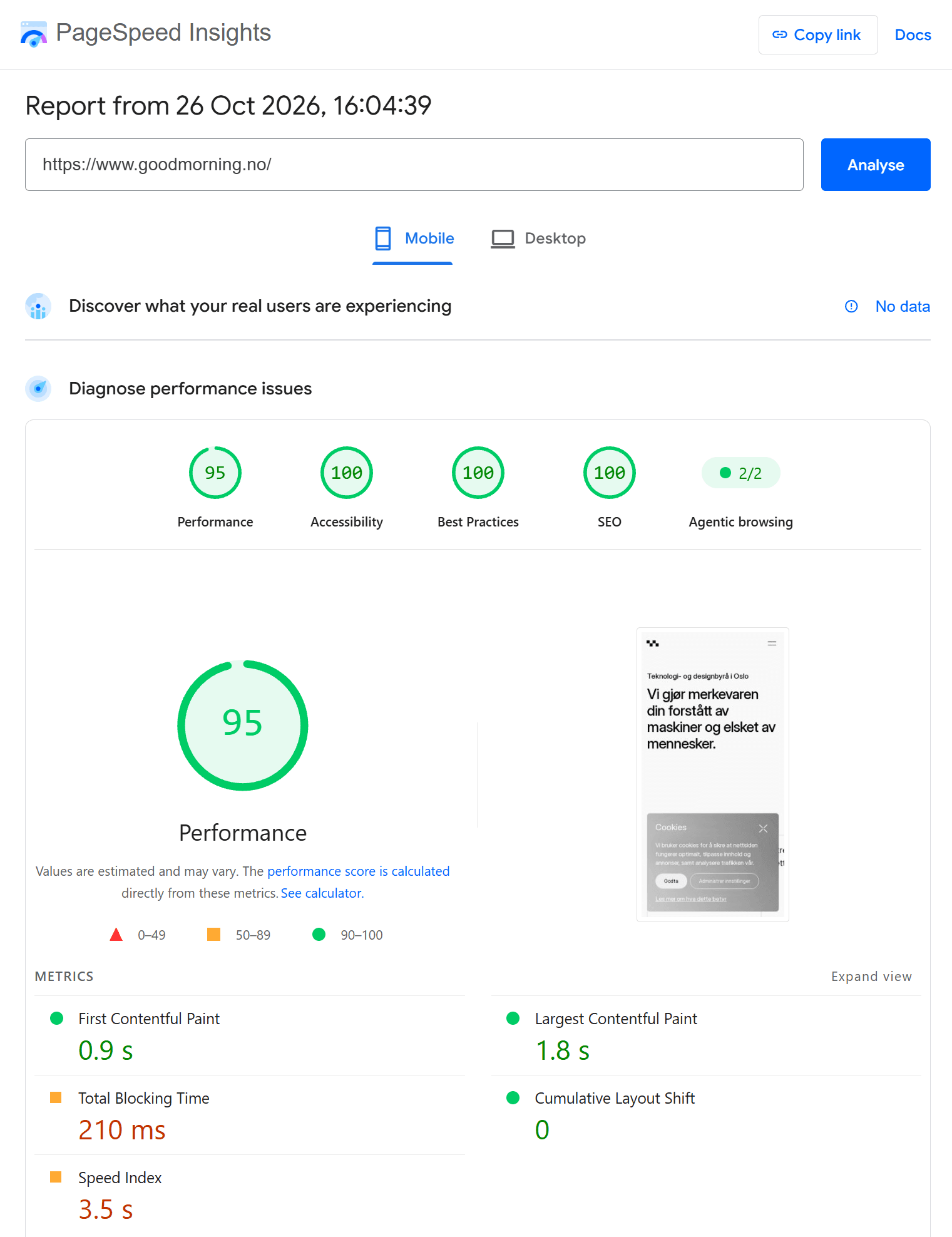
Google PageSpeed Insights for the front page on mobile, 26 October 2026.
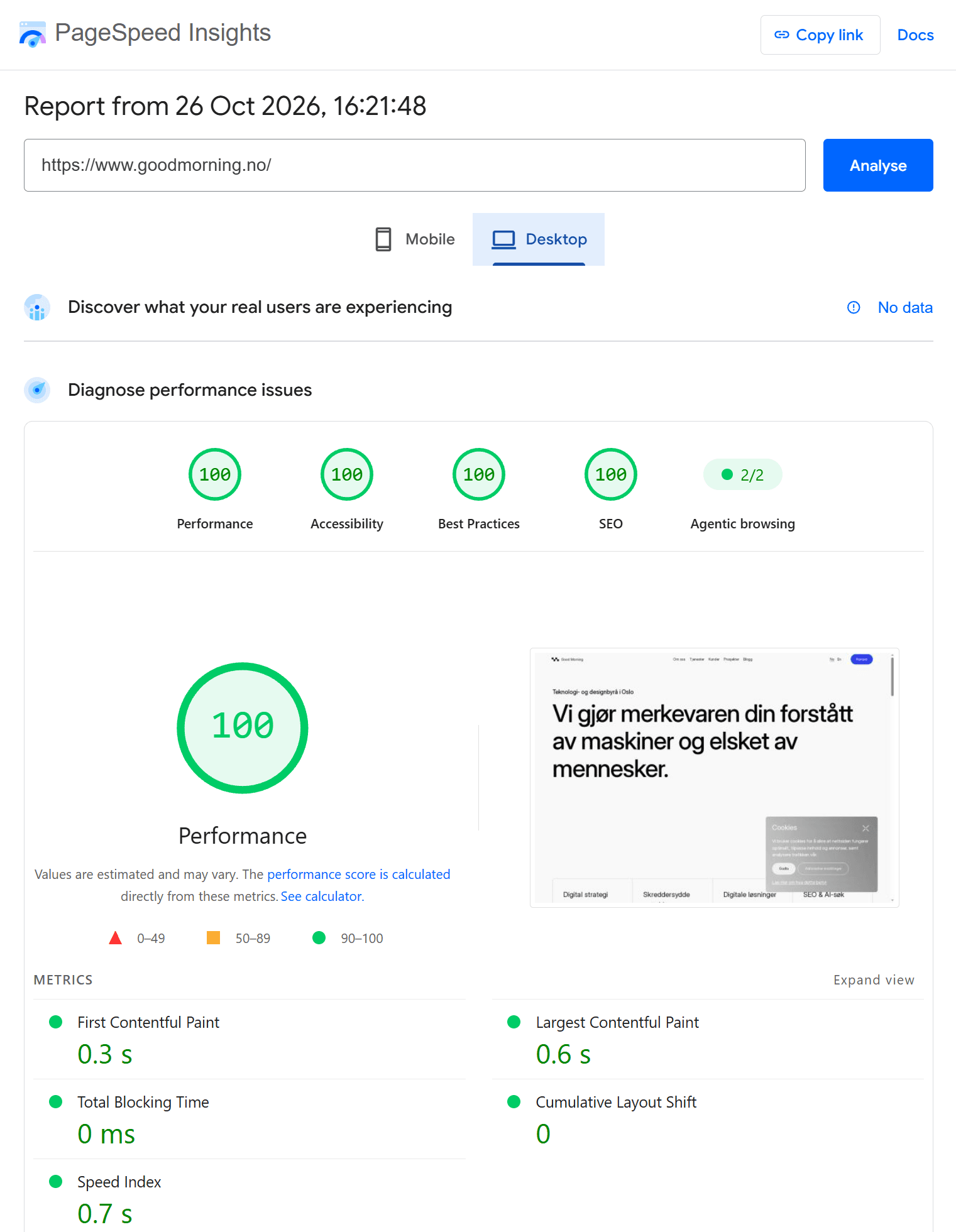
The same page on desktop.
Same site, same design, same animations. Just three times quicker.
What you can take from this
- Measure before you touch anything, and after every change. What feels slow and what is slow are not always the same. We measured the page before we changed a line, and again after each of the nine changes, several runs each time, so we knew exactly what every change was worth.
- The big wins are rarely where you expect. The fonts alone gave us 16 points. A couple of the changes we believed in the most gave almost nothing, so we left them out.
- Third party tools have a price. Every tracking script, chat widget and booking tool you add is paid for by your visitors in loading time. Load them when they are needed, not before.
- This is maintenance, not a project. Websites get slower over time as content and tools are added. Measure again every six months.

Check your own site
The test Google uses is free and takes a minute. Open PageSpeed Insights, enter your address and look at the score. Above 90, you are in good shape. Below 80, your visitors are waiting on things they never see, and some of them leave before the page has appeared. For us, closing that gap meant a front page that shows three times faster, and a score Google now rewards instead of holding against us.
Start with the measurement. Once the numbers are on the table, the fixes are usually smaller than the problem looked, and we are glad to help with both.